Daily Digest
A two-minute read every morning. No surprises later.
A single, simple email covering monthly spend, savings movement, compliance, reliability, monitoring, and what's new in your Action Hub. Configurable per user. Built so a finance director and an engineer get the same email and both find it useful.
Per-user · Per-day · Read on a phone before standup
The problem
Cloud problems wait for you to go looking.
A dashboard only tells you anything if you remember to open it, and most weeks nobody does. Nothing arrives to say a budget moved or a finding landed, so the first you hear of it is someone else asking.
You open the dashboard once, then forget for two weeks.
The first sign of trouble is a finance ping at month-end.
Engineers don't know there are new findings until standup, three days later.
What's in the email
Three blocks. One scroll. Read it on a phone.
The same shape every morning so habits form. KPIs at the top, the action queue underneath, then commitments and budgets with their advisory note, and one button into the live dashboard.
The same three blocks land in your inbox each morning.
- 1
Overview
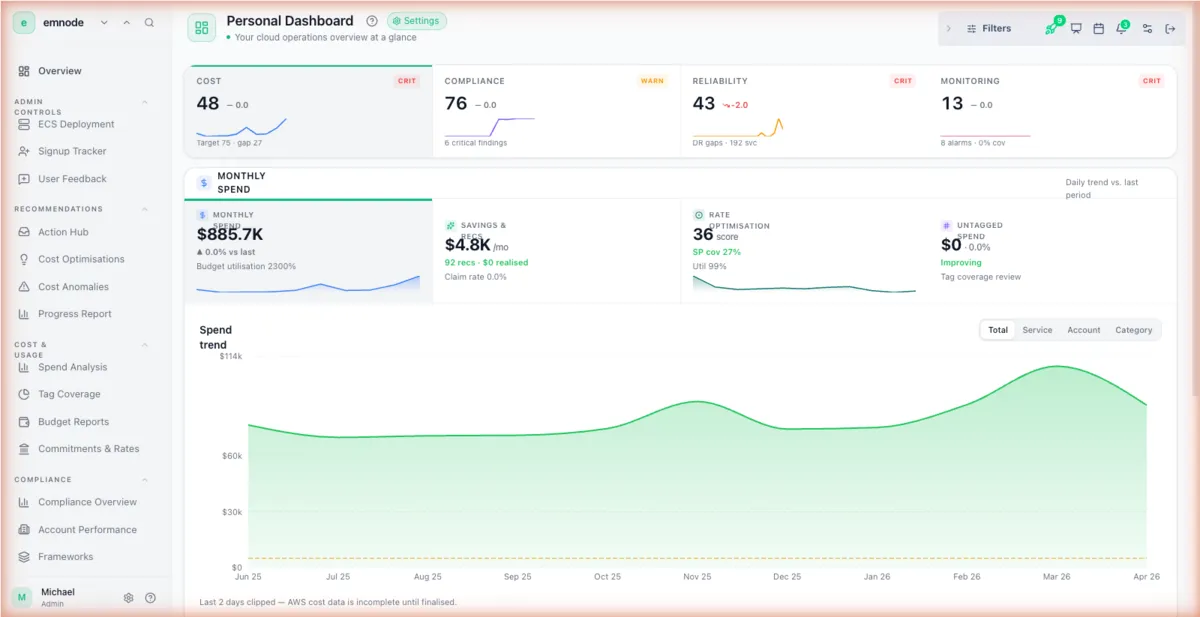
KPI tiles: monthly spend with delta, savings & recs (open + new), rate optimization, compliance %, site reliability, monitoring.
- 2
Action Queue
New vs resolved counts, with one-line summaries per domain: Cost & Wastage, Compliance, Anomalies, Monitoring, Site Reliability.
- 3
Commitments & Budgets
Commitment utilization, total commitments and active plans, budget adherence, budget alerts.
- 4
Advisory
A plain-English advisory when a budget crosses its threshold, e.g. "2 budgets exceeded — review allocations or reduce spend."
- 5
Open Dashboard
A single tap into the live product when something needs more than a glance.
Configured per person
Set it up in 30 seconds. Per user.
Each person on the team picks the cadence and the sections they care about. Finance, engineering, and leadership get the same source, different filters.
- 1
Delivery days: Mon to Sun toggles. Skip weekends, skip Mondays, whatever fits.
- 2
Delivery time and timezone: pick the slot just before standup.
- 3
Daily Overview toggles: Monthly Spend, Savings, Rate Optimization, Compliance, Site Reliability, Monitoring.
- 4
Action Hub toggles: Cost & Wastage, Compliance, Anomalies, Monitoring, Site Reliability.
- 5
Send-to email: works alongside whoever else gets it. Each user, their own filters.
Why daily, why simple
The opinionated stance.
Three reasons the format is what it is. Defended by what happens to teams that pick a different rhythm.
Daily because monthly is too late
Weekly gets missed. Daily becomes a habit. By the time something would matter, it has already been seen.
Simple because phones
You're reading it before standup, not at a desk. Anything dense gets ignored, anything long gets skimmed.
Per-user because roles differ
Finance, engineering, and leadership care about different signals. Same source, different filters, no shared inbox.
Common questions
What’s in the daily digest email?
The daily digest is one email with three blocks in the same order each morning: a KPI Overview (spend, savings, compliance, reliability, monitoring), the Action Queue of new versus resolved items, and Commitments & Budgets with a plain-English advisory when a budget crosses its threshold. One button opens the live dashboard.
Can each person get their own version of the digest?
Yes, each person configures their own digest. Everyone picks the delivery days, time and the sections they care about, so finance, engineering and leadership get the same underlying data through different filters.
Why daily instead of weekly or monthly?
The digest is daily because weekly gets missed and monthly is too late. A short daily email becomes a habit, so problems are seen the morning they appear, not at a month-end finance ping.
Do I need to log in to read the digest?
No, the digest is built to read on a phone before standup, no login required. One scroll covers the headlines, and a single tap opens the live product when something needs more than a glance.
Does the digest cover both AWS and Azure?
Yes, the digest covers both AWS and Azure. It draws from the same data as the dashboards, so spend, savings, compliance, reliability and monitoring across both clouds all land in one email.
Your cloud operations won't sort themselves out.
But they don't need a specialist either. Connect Emnode, get clarity across all four pillars, and start closing the gap.
From $79/month, unlimited users and unlimited cloud accounts. Free tier available. See full pricing →
AWS & Azure · 14-day free trial · No card needed until the trial ends